Modbus toolkit for engineers

Modbus Studio

Everything a field engineer needs to talk to a Modbus device: find it, read its registers, convert the numbers, log them and forward them to the cloud. Works on a laptop with no internet and no monthly fee.

Windows installer · about 72 MB · all features for 30 days, no credit card.

All Software Features Packages FAQ Contact Us

Screenshots show a simulated three-phase meter.

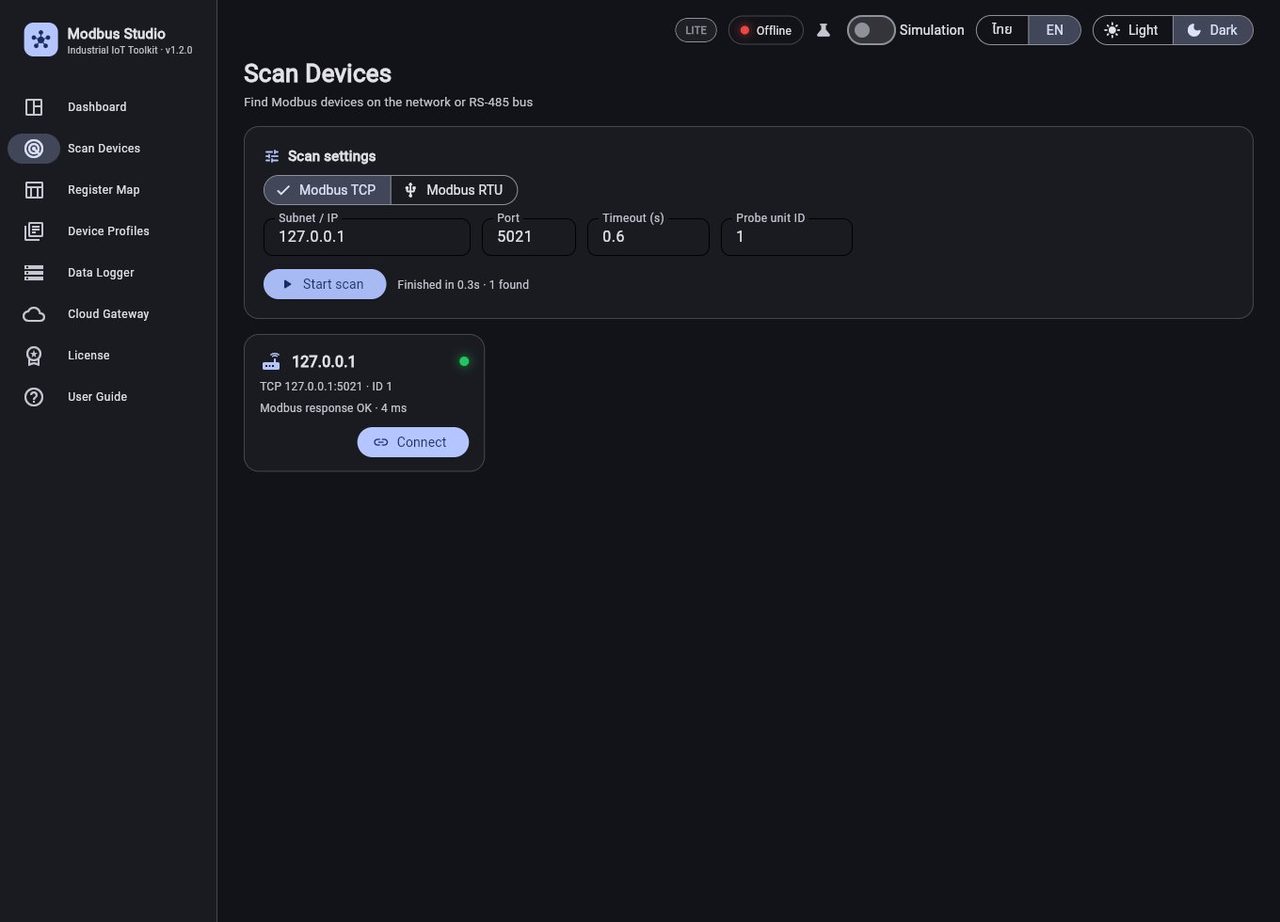
Find the device

Scans a whole Modbus TCP subnet at once, or finds RTU devices on RS-485 with automatic baud rate, parity and slave ID detection.

Several devices on one line

Read many devices on one RS-485 line, each with its own name, slave ID and profile. A Slave ID wizard helps when new devices all leave the factory as ID 1.

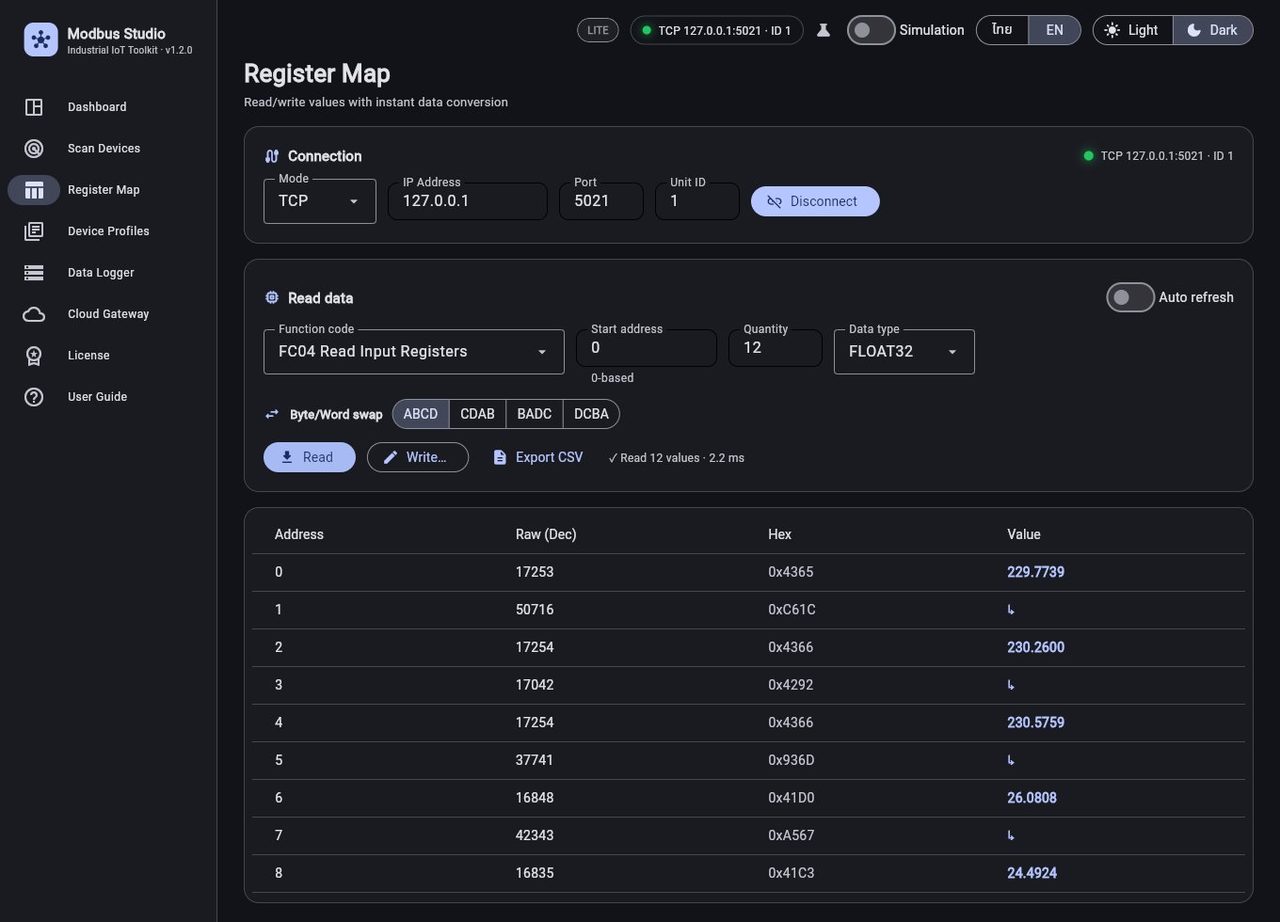
Register map

Read function codes 01–04, convert 16/32-bit integers and float32, swap byte and word order, and write with 05, 06, 15 and 16.

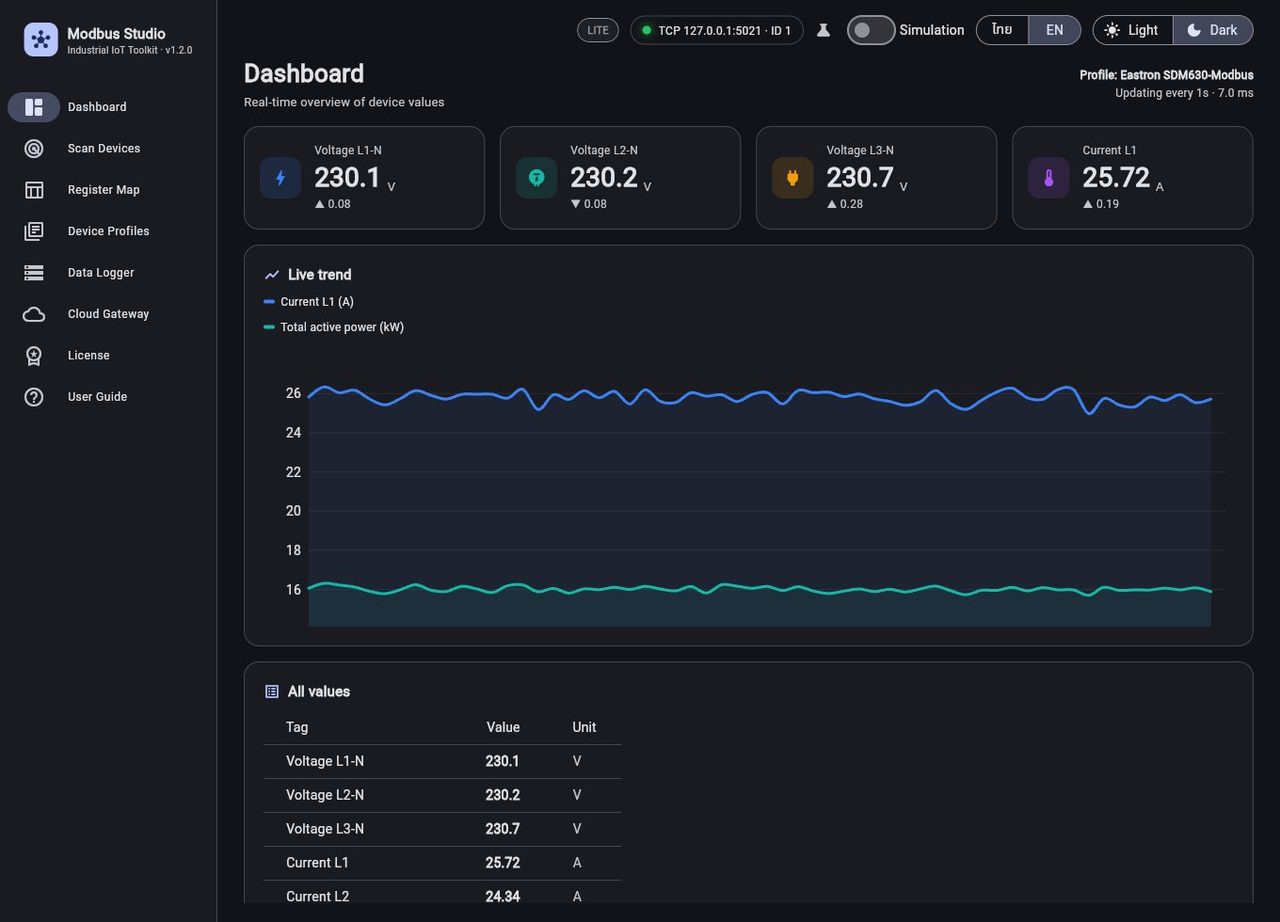
Live dashboard

KPI cards, a trend chart and gauges, built automatically from the tags of the chosen device profile.

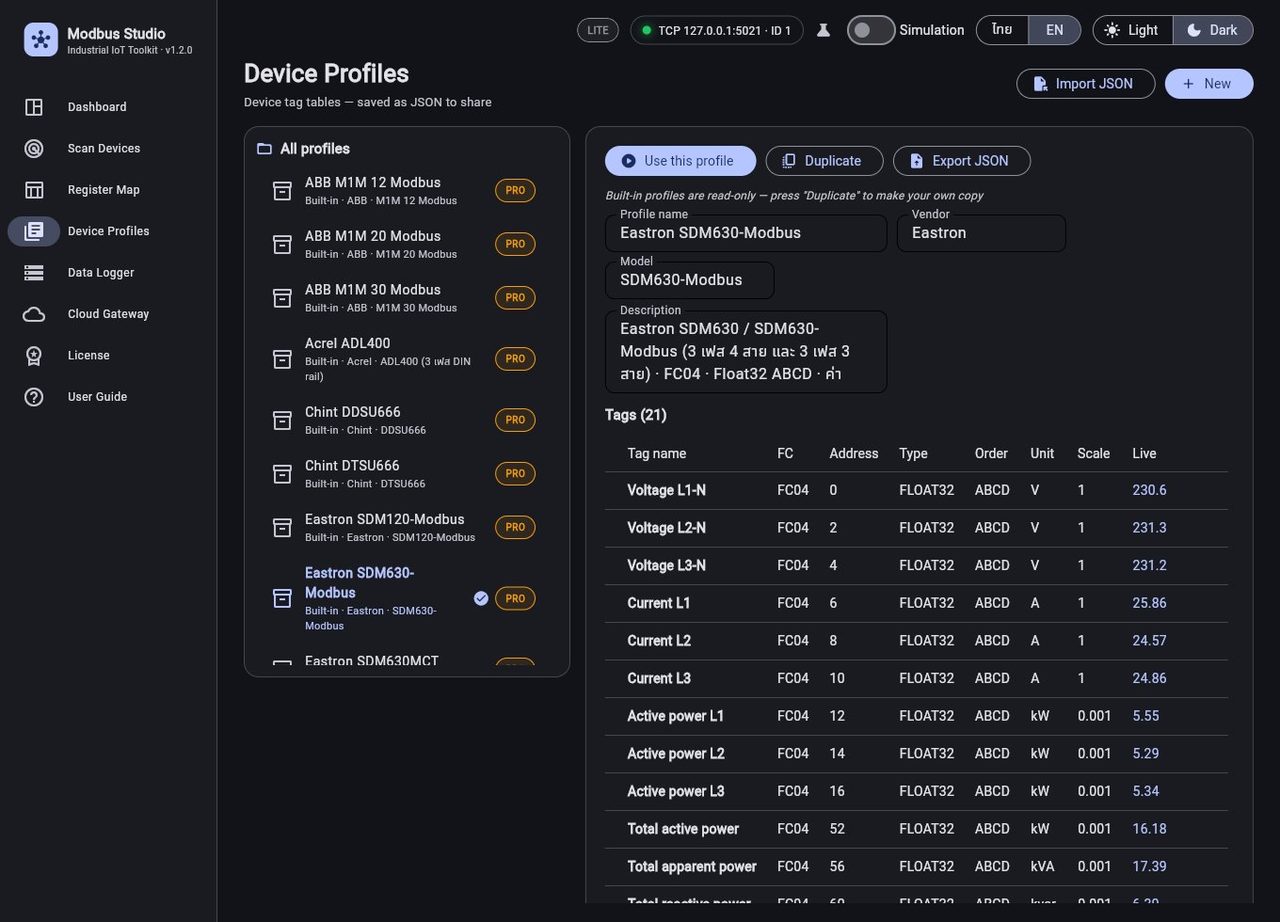
Device profiles

Save a device's tag table once and reuse it. Import and export JSON, and use the built-in library of meter and sensor profiles.

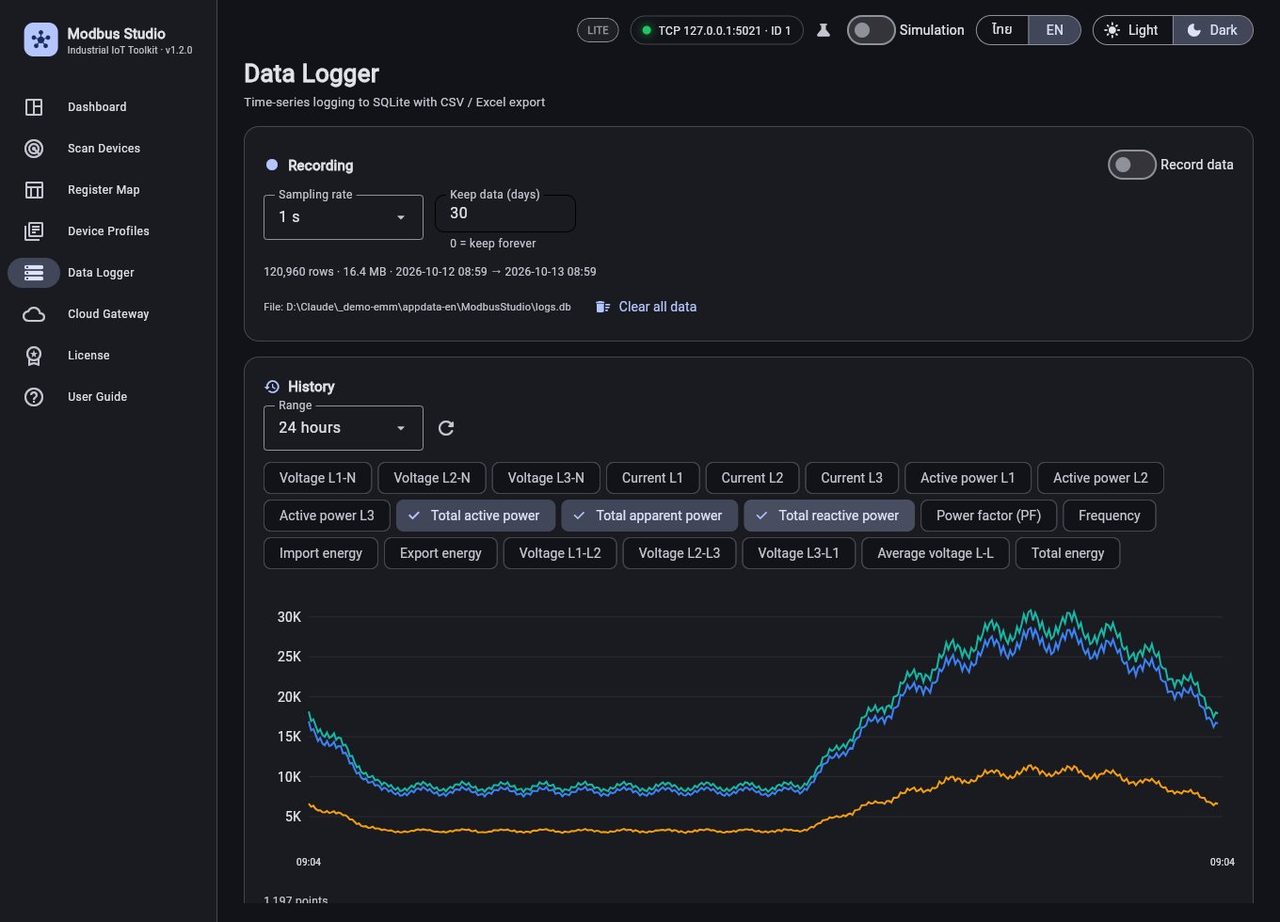
Data logger

Logs time series to a local SQLite file with automatic clean-up, and exports CSV or Excel.

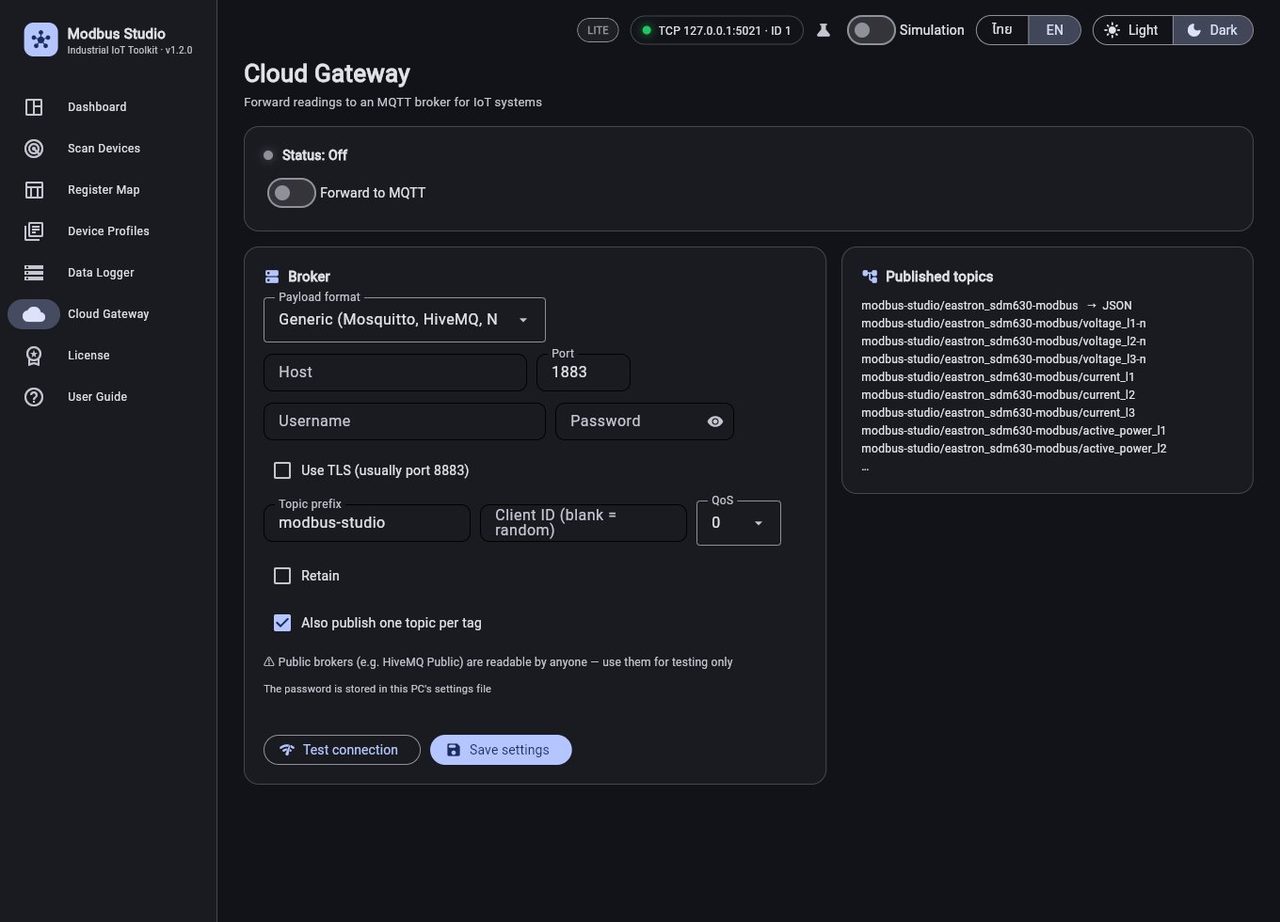
MQTT cloud gateway

Forwards readings to any MQTT broker, with TLS, per-tag topics and a ThingsBoard payload format.

Simulation mode

Try the whole program with a built-in virtual meter — no hardware needed.

Offline and bilingual

Thai or English, light or dark theme. License keys are checked offline — no cloud account and no monthly fee.

Runs on
Windows, with a Thai / English installer (no administrator rights needed)
Protocols
Modbus TCP and Modbus RTU (RS-485 / RS-232 via USB adapter)
License
Offline key issued in your name — not tied to one PC, so you can move it to a new computer
Try it
Free 30-day trial with all features
Packages

Choose Your Edition

Modbus Studio is sold as a one-time purchase, with no monthly fee.

Modbus Studio — plans

Free trial
Free

Try everything before you buy.

  • All features for 30 days
  • Starts on the first day you open it
  • After 30 days a license key is needed — your settings and data stay
Download free trial
Standard
฿890

One-time, 1 PC, for field technicians. Updates for all 1.x versions.

  • TCP scan · read FC01–04 · byte/word swap · simulation
  • Write values (FC05/06/15/16)
  • Modbus RTU (RS-485) scan
  • Device profiles (JSON) and CSV export
  • Data logger and Excel export
  • MQTT cloud gateway
  • Built-in meter profile library
  • Online training + 3 custom profiles
Order Standard
Team
From ฿7,900

Pro for 5 PCs, with online training and 3 custom profiles.

  • TCP scan · read FC01–04 · byte/word swap · simulation
  • Write values (FC05/06/15/16)
  • Modbus RTU (RS-485) scan
  • Device profiles (JSON) and CSV export
  • Data logger and Excel export
  • MQTT cloud gateway
  • Built-in meter profile library
  • Online training + 3 custom profiles
Order Team

Prices are in Thai baht as of October 2026 and may change — contact us to confirm. To order, press the button and send the email (or message us on LINE @jetnipat) with the name or company for the license. We send the key, which is checked offline and is not tied to one PC.

Before You Ask

Frequently Asked Questions

Do I need the internet or a cloud account?
JETNIPAT Energy runs on your own PC or server and keeps the data in a local file; you open it from a browser on your network. Modbus Studio works fully offline. Sending data to a cloud (MQTT) is optional.
What hardware do I need to connect my meters?
Meters with an RS-485 port need a USB-to-RS-485 adapter or an RS-485-to-Ethernet gateway; Modbus TCP devices connect over the LAN. See our RS-485 wiring guide and Modbus gateway comparison.
Will it work with my meter?
Both programs work with devices that speak Modbus. Ready-made profiles are included for common meters and sensors, and other models can be added from the register map in the manual, with a test read before saving. Send us your model and we will confirm.
Can I try it before I buy?
Yes. Both programs have a free 30-day trial with all features — use the Download buttons above. After 30 days a license key is needed, and your settings and data are kept.
Windows warns me when I run the installer. Is that normal?
Windows SmartScreen can warn about programs it has not seen often yet. Download only from this page, then choose More info → Run anyway if you trust the source. Ask us if you want to check the file first.

Want to see it running on your meters?

Tell us about your site and the meters you use. We will recommend an edition and can set it up for you.

Related reading

Learn more from our guides