Energy management software

JETNIPAT Energy

See where your electricity goes. JETNIPAT Energy reads your meters over RS-485 or the network, keeps the history on your own server, and turns it into live dashboards, electricity-cost estimates, reports and alerts you can open from any browser on your network.

Windows installer · about 31 MB · all features for 30 days, no credit card.

All Software Features Packages FAQ Contact Us

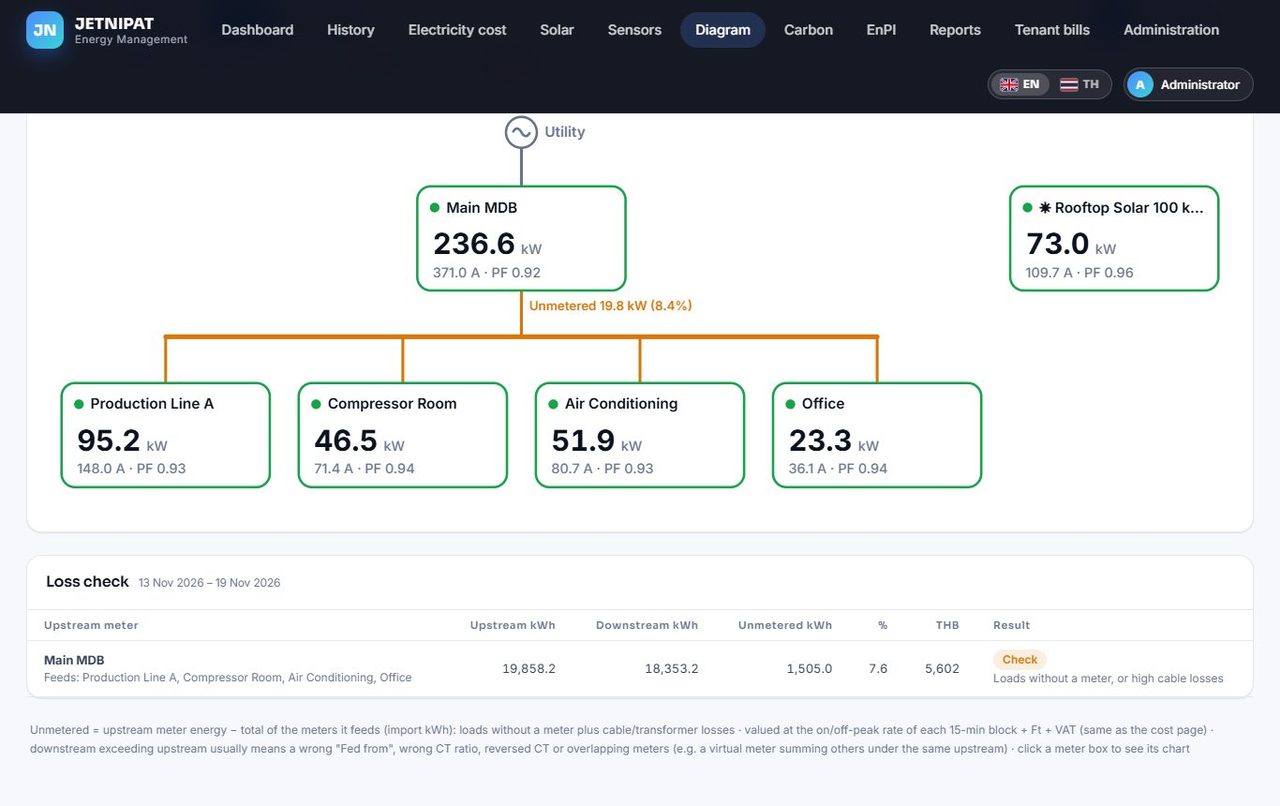
Screenshots show sample data from a demo plant.

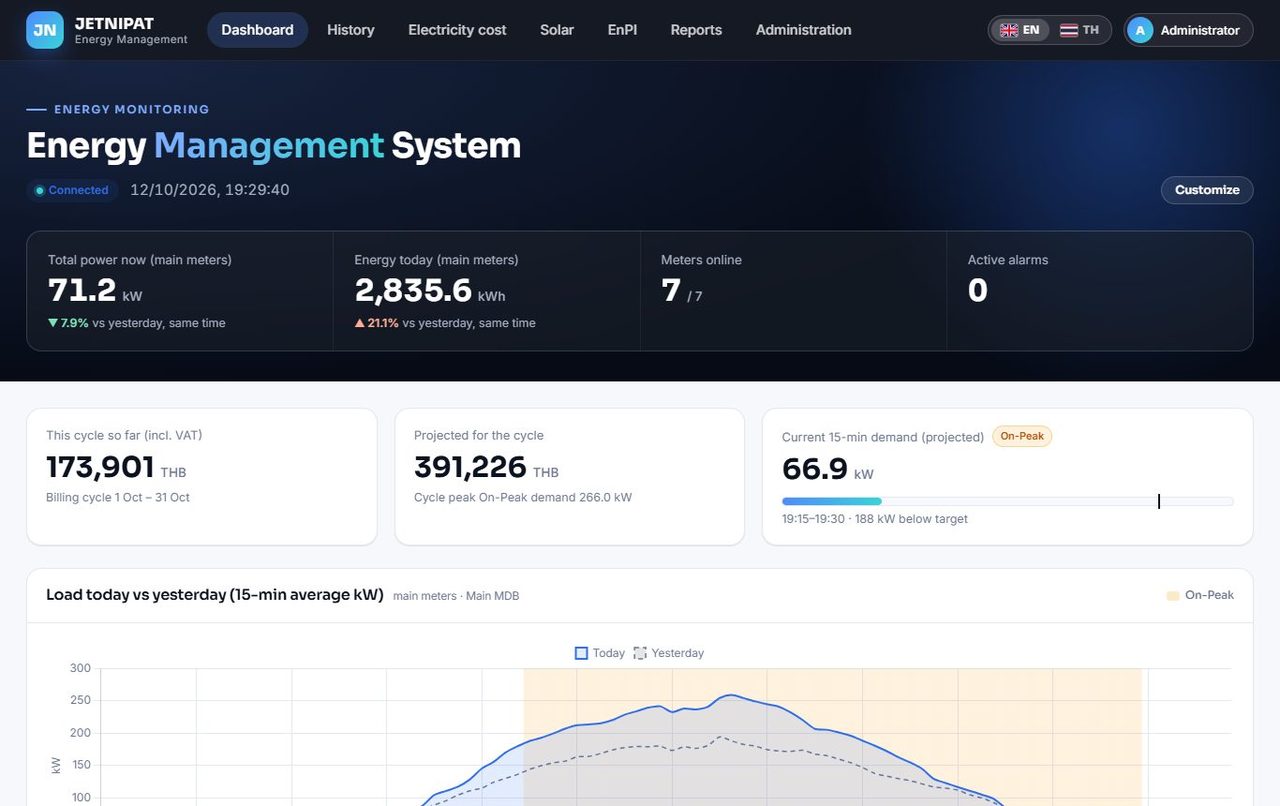
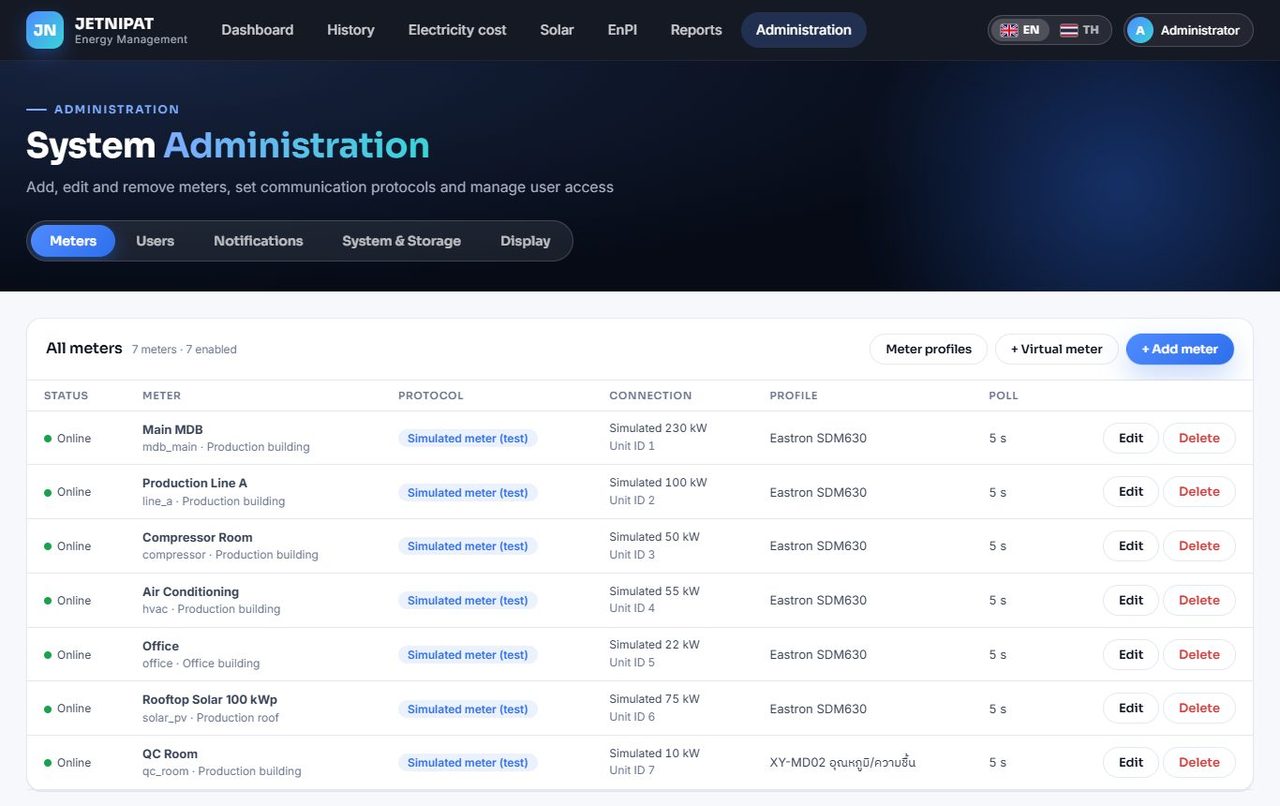
Live monitoring of many meters

Reads many meters over RS-485, Modbus TCP or a gateway at the same time. Meters on one RS-485 line take turns automatically.

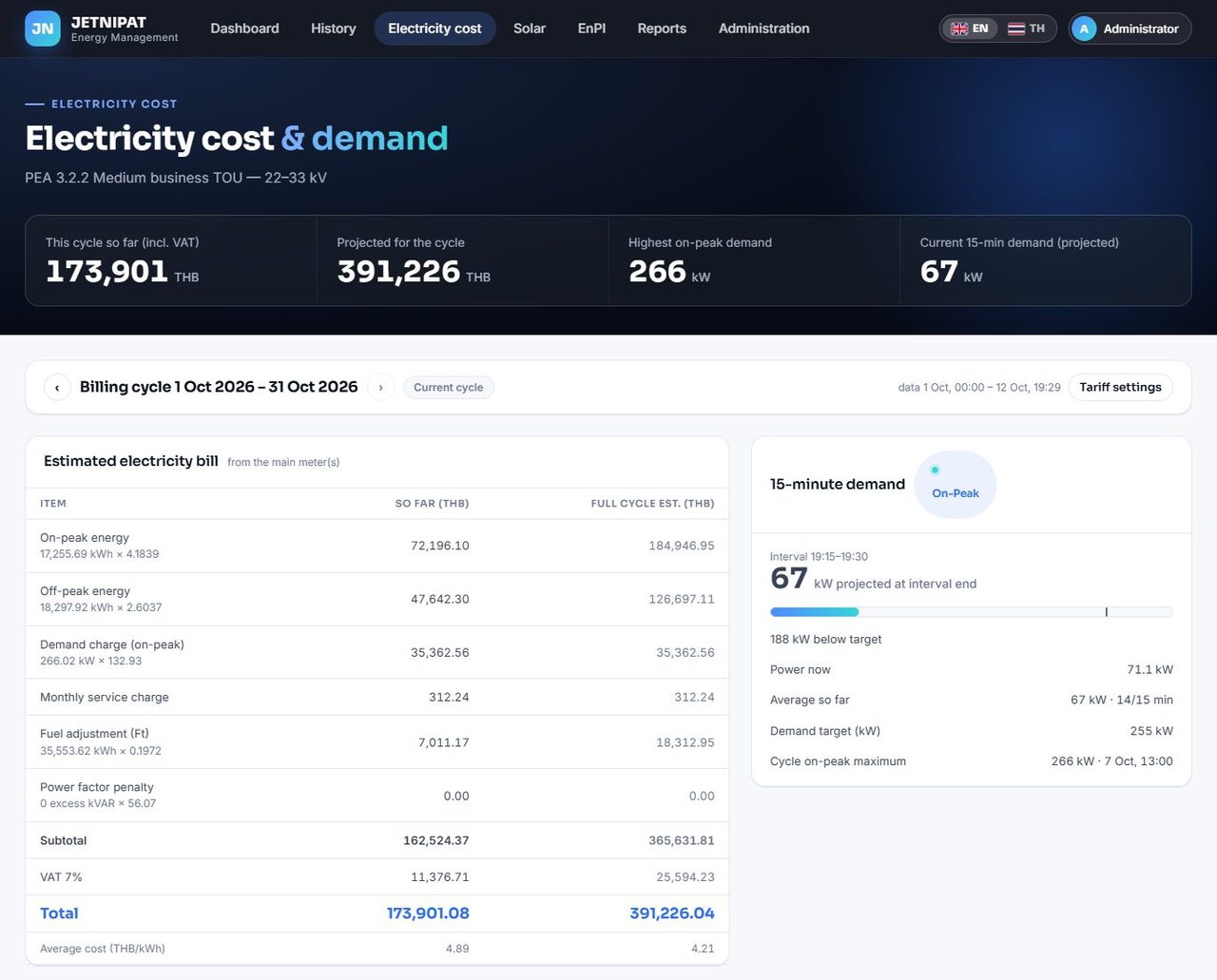
Electricity cost and Demand

Estimates the PEA TOU bill so far and for the whole cycle, tracks 15-minute demand against your target and warns before it is exceeded. Rates are editable.

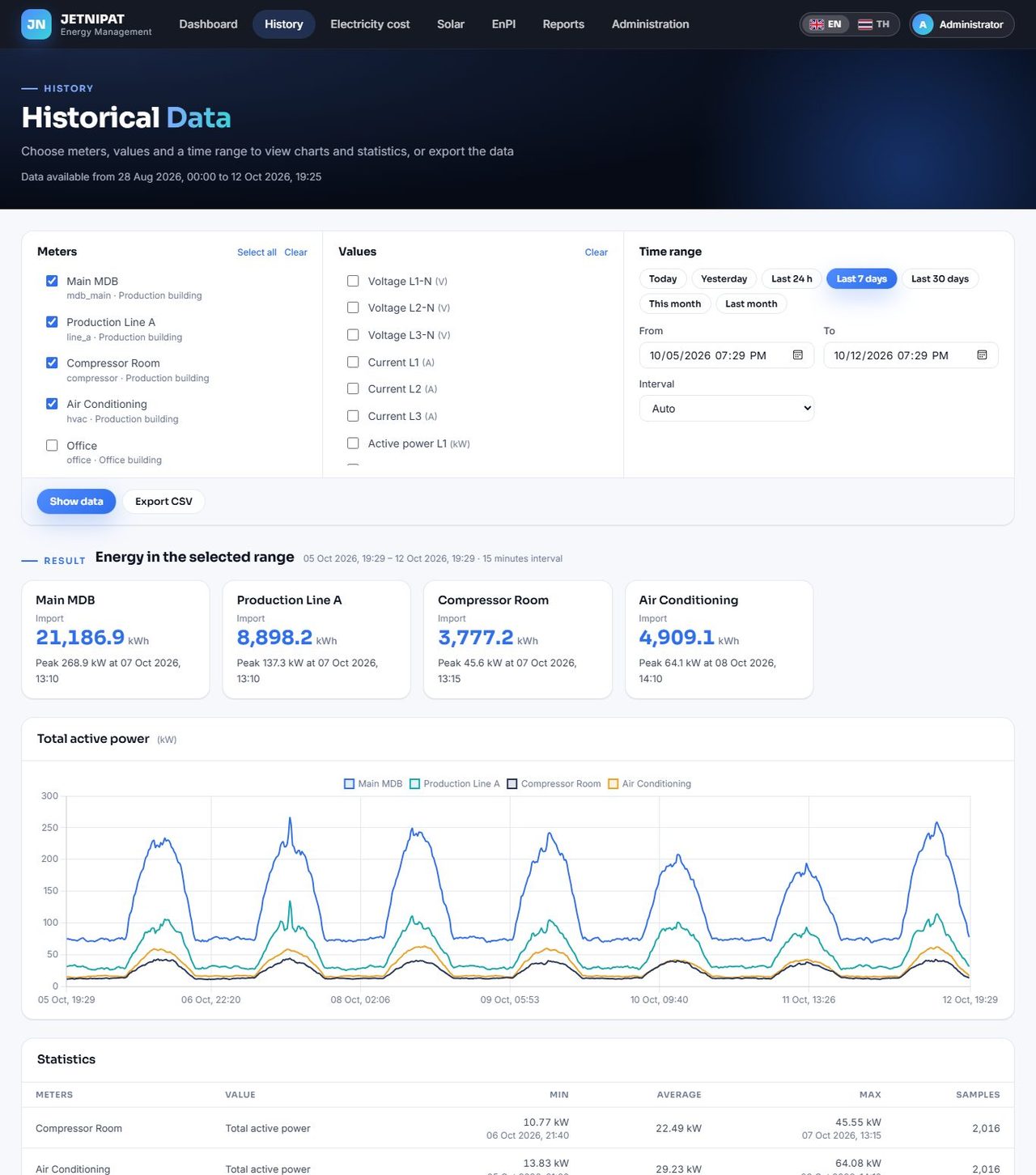
History and comparison

Pick meters, values and periods, compare meters side by side, see peaks with the time they happened, and export CSV.

Alerts where you already are

Alerts by LINE, Telegram and email when a value goes out of range or a meter goes offline, with a daily energy summary.

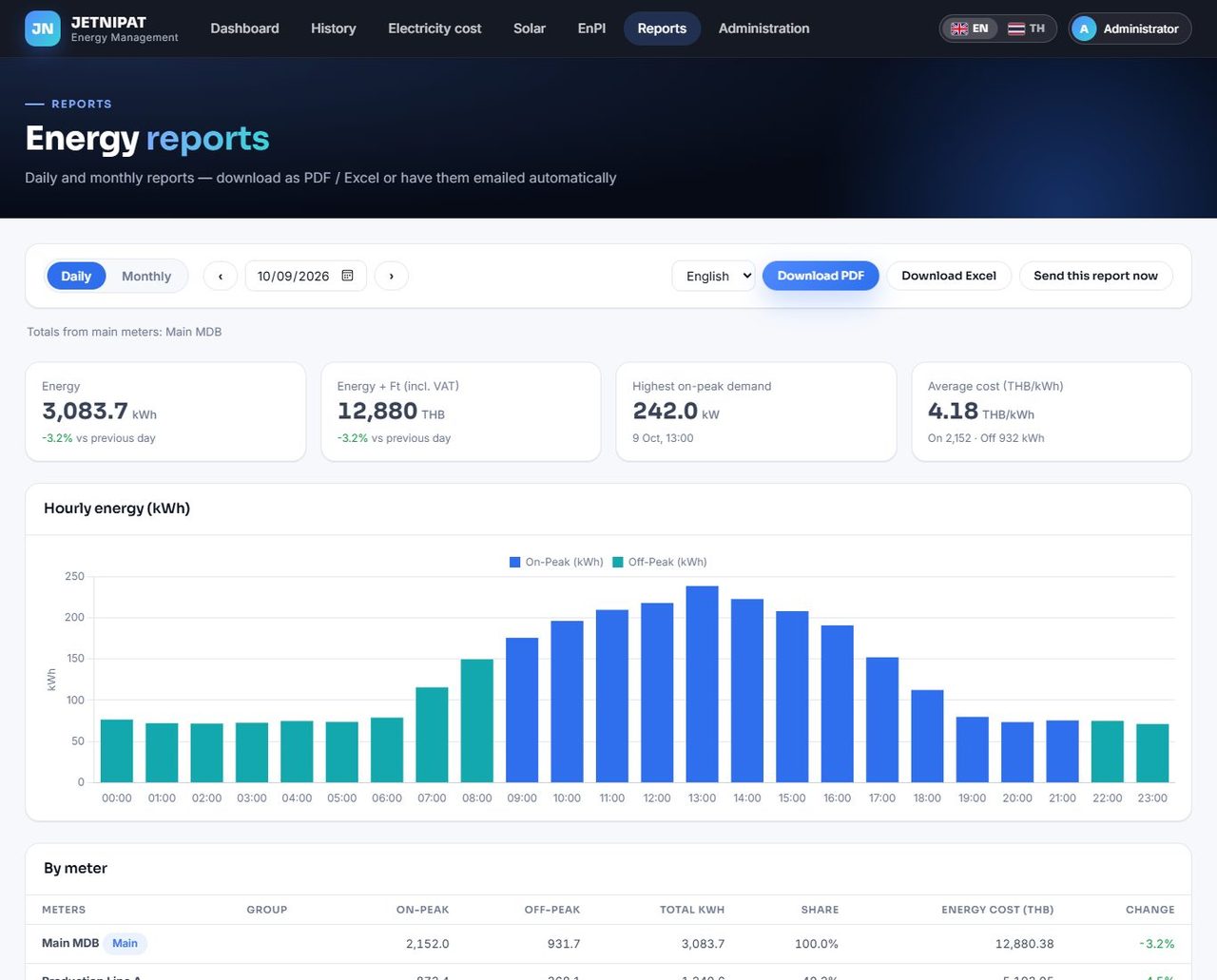
Reports on a schedule

Daily and monthly PDF / Excel reports, sent automatically by email, LINE or Telegram.

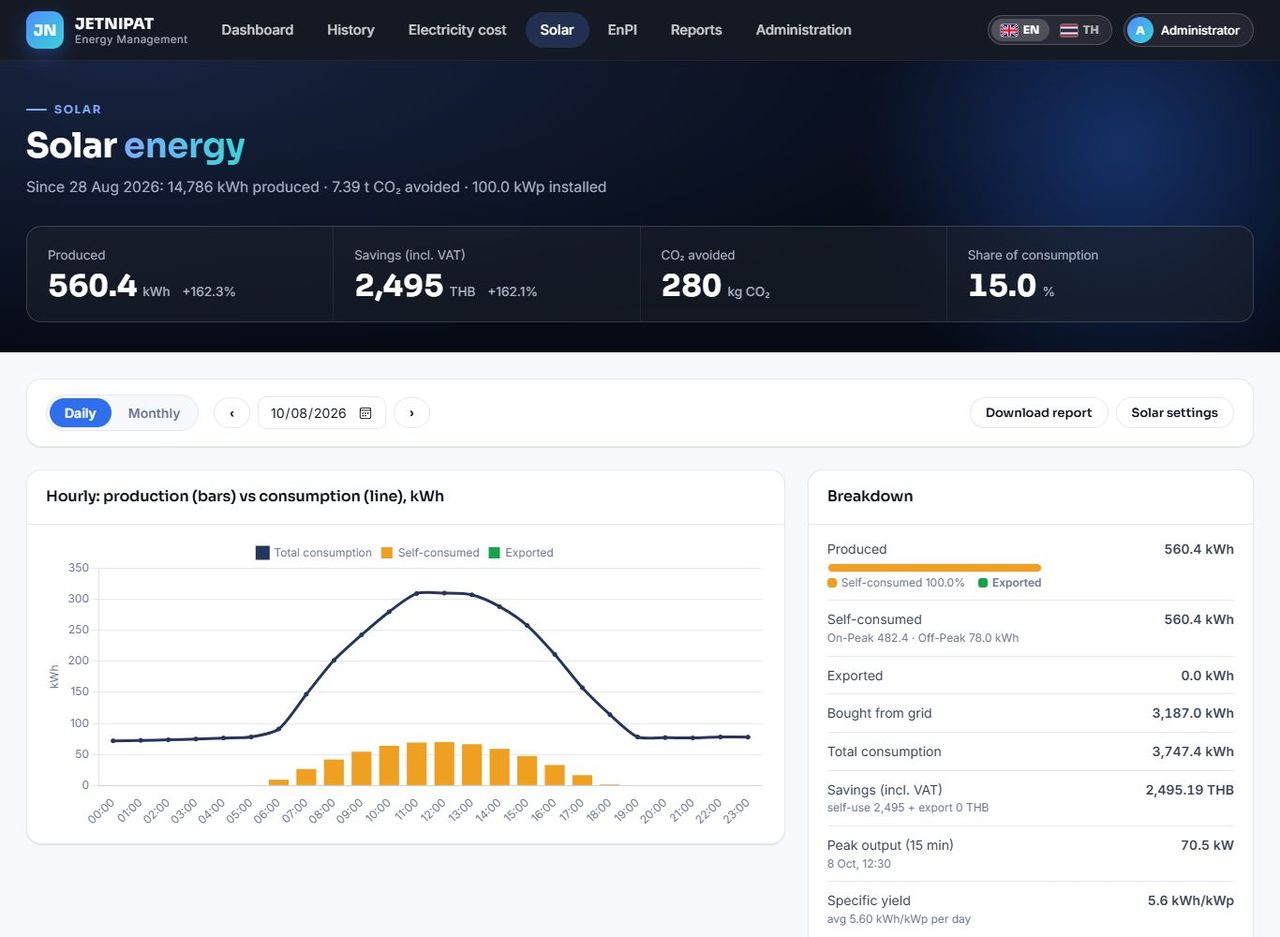
Solar tracking

Production, self-use, export, baht saved and CO₂ avoided — included in the reports.

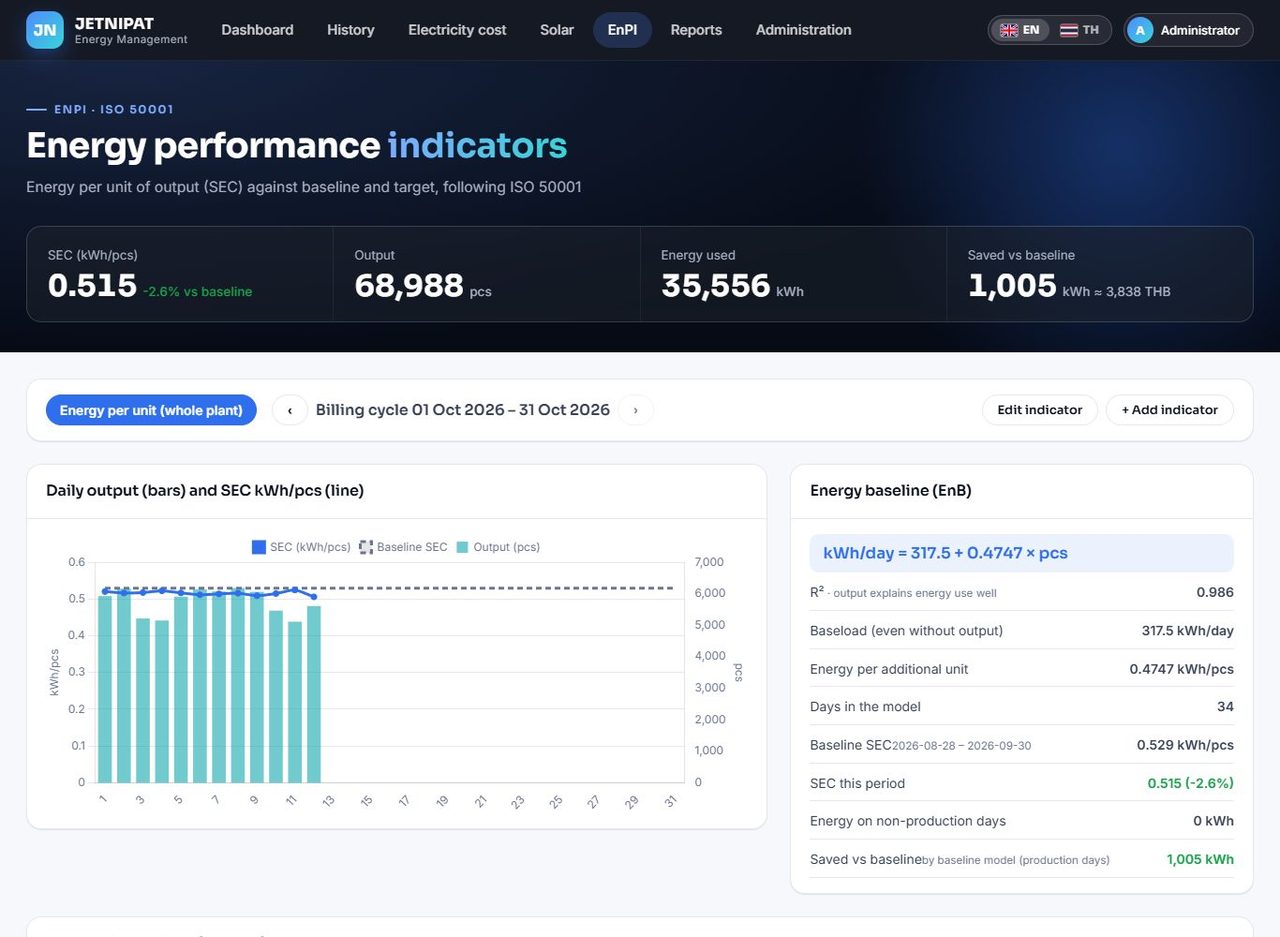
EnPI and savings

Energy per unit produced, baseline model and cumulative savings — a practical tool for energy-management programs.

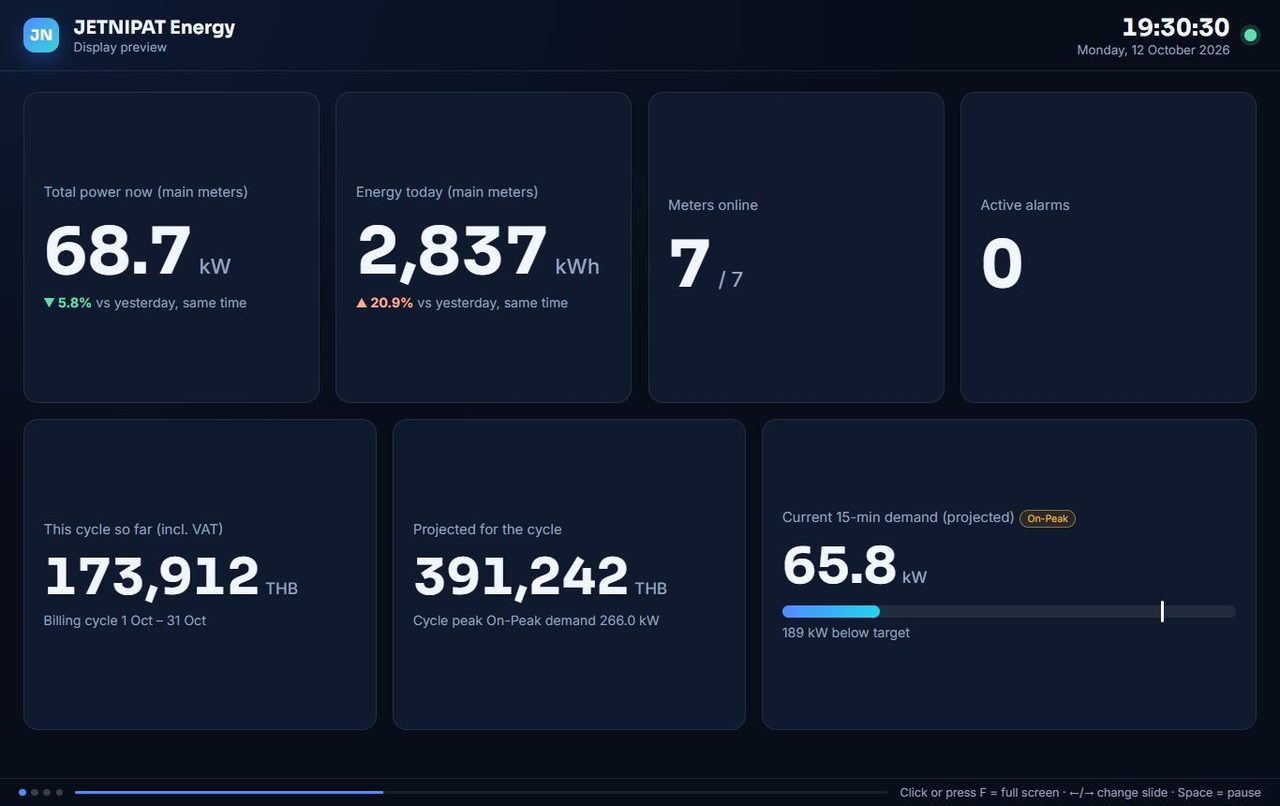
TV display

Rotating full-screen pages for a TV or control room. Screen links are view-only and can be revoked at any time.

Carbon (Scope 2)

Carbon emissions from the electricity you buy, by group and meter, with a yearly emission factor you can edit and CSV export.

Single-line diagram

Draws the network from the utility to feeders and compares source and downstream kWh to point at where power goes missing.

Temperature and humidity report

Daily and monthly min, max and average with the time of each, excursions outside limits, and a PDF with a space for the inspector's signature.

Any Modbus meter

Ready-made profiles for common meters, and a web editor to add other models from the manual's register map — with a test read before you save. Virtual meters add or subtract meters (whole plant, department, unmetered load).

Connects to
Modbus RTU, ASCII, TCP and RTU-over-TCP (RS-485 gateways)
Runs on
Windows (installer) · Linux / Raspberry Pi
Your data
Stored on your own server in a single local database file, with automatic backup
Access
Any browser on your network · Thai and English · admin and viewer users
How It Connects

From the Meter to Your Browser

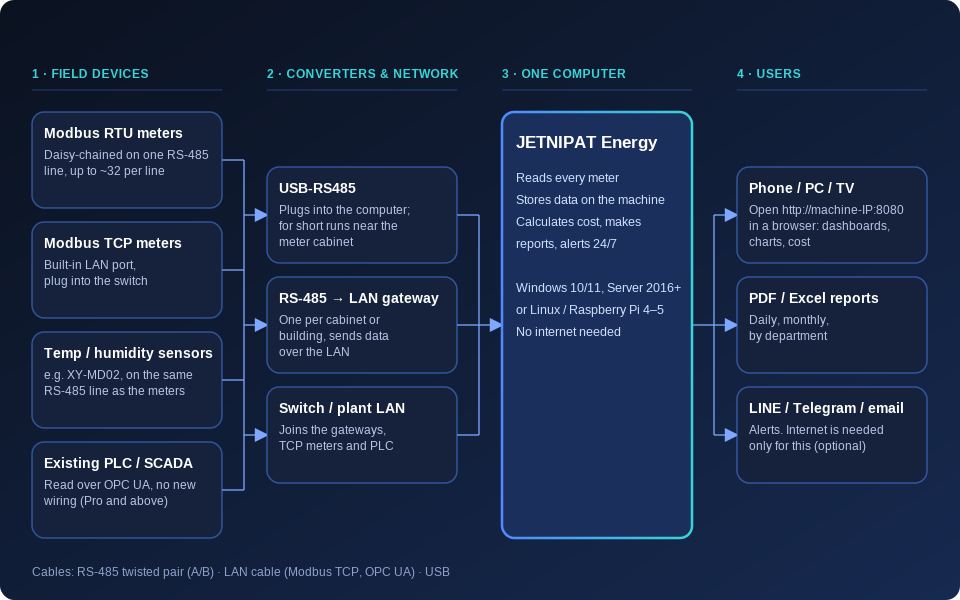
Meters send readings over RS-485 or the LAN to one computer running JETNIPAT Energy. Everyone views it in a web browser on the same network. No internet or cloud is needed.

Diagram: meters, converters and network, one computer running JETNIPAT Energy, and users in a web browser

Read the full connection guide: three common setups, parts and rough prices

Packages

Choose Your Edition

JETNIPAT Energy is sold as a one-time purchase, with no monthly fee.

JETNIPAT Energy — editions

Basic
Contact us for a quote
Up to 5 meters · 2 users

For a small site that needs to see and record its meters.

  • Read and record meters (Modbus RTU / ASCII / TCP)
  • History, charts and CSV export
  • Storage management and automatic backup
  • Temperature / humidity report
  • Alerts, electricity cost, reports, solar
  • EnPI and REST API
Request a quote
Enterprise
Contact us for a quote
Unlimited meters · unlimited users

For larger sites and energy-management programs.

  • Everything in Pro
  • EnPI: energy per unit, baseline and CUSUM savings
  • REST API to connect other systems
Request a quote

Every installation starts with a 30-day trial of all features. The license is a one-time purchase with no expiry and is not tied to one PC. Meter wiring, data logger and setup can be done by our engineers — see Energy Management System.

Before You Ask

Frequently Asked Questions

Do I need the internet or a cloud account?
JETNIPAT Energy runs on your own PC or server and keeps the data in a local file; you open it from a browser on your network. Modbus Studio works fully offline. Sending data to a cloud (MQTT) is optional.
What hardware do I need to connect my meters?
Meters with an RS-485 port need a USB-to-RS-485 adapter or an RS-485-to-Ethernet gateway; Modbus TCP devices connect over the LAN. See our RS-485 wiring guide and Modbus gateway comparison.
Will it work with my meter?
Both programs work with devices that speak Modbus. Ready-made profiles are included for common meters and sensors, and other models can be added from the register map in the manual, with a test read before saving. Send us your model and we will confirm.
Can I try it before I buy?
Yes. Both programs have a free 30-day trial with all features — use the Download buttons above. After 30 days a license key is needed, and your settings and data are kept.
Windows warns me when I run the installer. Is that normal?
Windows SmartScreen can warn about programs it has not seen often yet. Download only from this page, then choose More info → Run anyway if you trust the source. Ask us if you want to check the file first.
Can you install and set it up for us?
Yes. Our engineers can fit the meters, wire the RS-485 bus, install a data logger and set up the software as part of our Energy Management System service.

Want to see it running on your meters?

Tell us about your site and the meters you use. We will recommend an edition and can set it up for you.